Dynamics 365 Finance and Supply Chain Management (formerly Dynamics 365 Finance and Operations) reduces the cost and complexity of global operations, offering a comprehensive ERP solution for mid-to-large enterprises, while leveraging Microsoft’s advanced data center technology to safeguard your business information.
*Dynamics 365 Finance and Operations, formerly known as Dynamics AX, has now been split into two applications: Dynamics 365 Finance and Dynamics 365 Supply Chain Management. For detailed information, please refer to the Finance and Supply Chain Management pages.
Multilingual: Offers interfaces and reports in dozens of languages worldwide, catering to the needs of different subsidiaries, divisions, and companies across the globe.
Localization: Supports local functionalities to meet accounting, tax, and regulatory requirements in nearly 40 countries and regions worldwide.
Multi-company / Intercompany Transactions:
An unlimited number of branches/subsidiaries can be set up, managed, and consolidated in a single company that has already been set up.
Purchase orders and sales orders can be automatically transferred between group companies.
When the new material is released, you can select the company that can be used, and the subsidiary does not have to create the part number repeatedly to avoid rework.
The head office can see the consolidated financial statements and the financial statements of each branch/subsidiary.
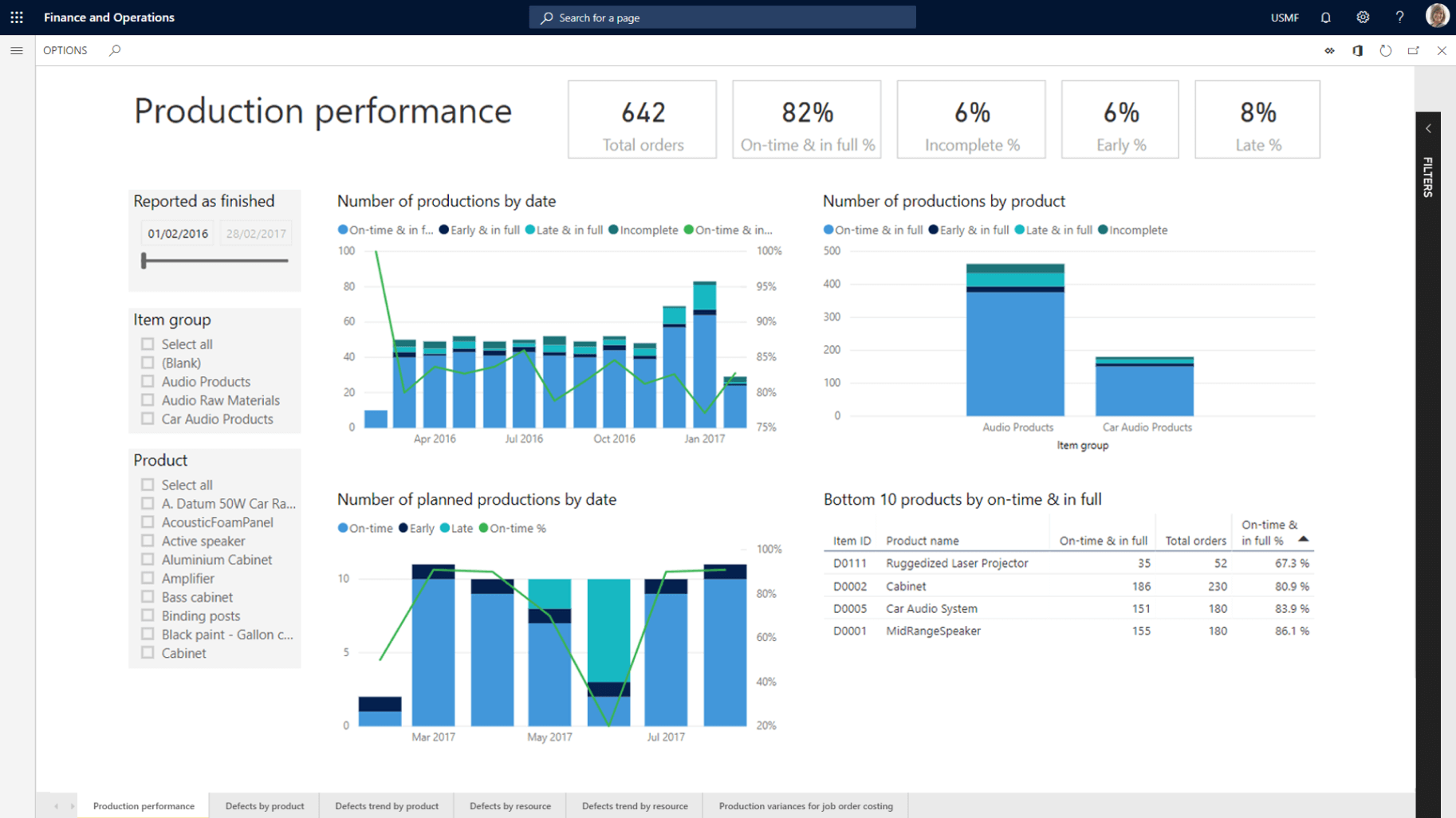
A centralized, global financial management solution with built-in powerful financial analytics that provides decision-makers with instant information to drive profit margins.
Supports multiple currencies, allowing transactions and financial reporting in any currency worldwide.
Full support for automatic exchange rate updates, currency revaluation processes.
Through a flexible, statutory chart of accounts and multi-dimensional analysis, the Group can adapt to changing financial needs.
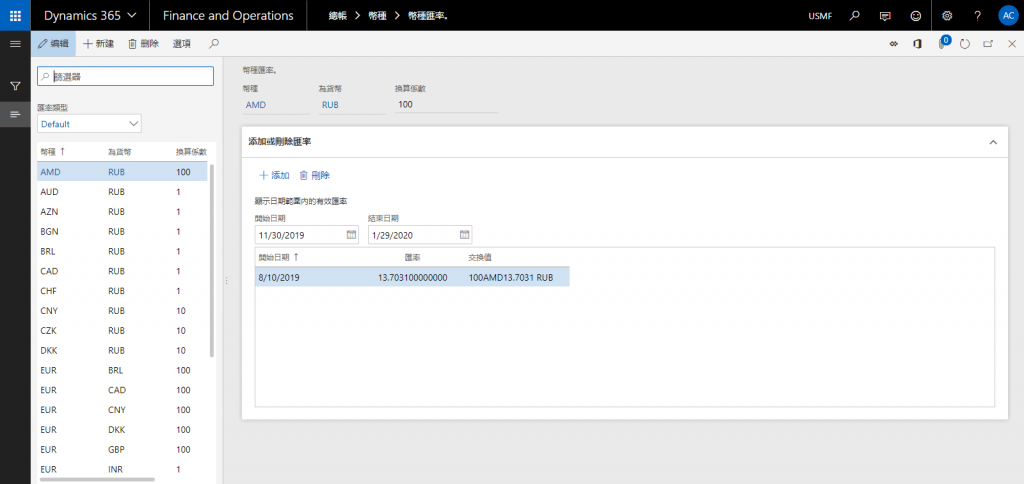
Currency exchange rate management
Using the “Currency Exchange Rate Import” feature, you can set up one-time or recurring scheduled updates to apply exchange rates to specific rate types.
After execution, the exchange rate record is automatically generated in the exchange rate type
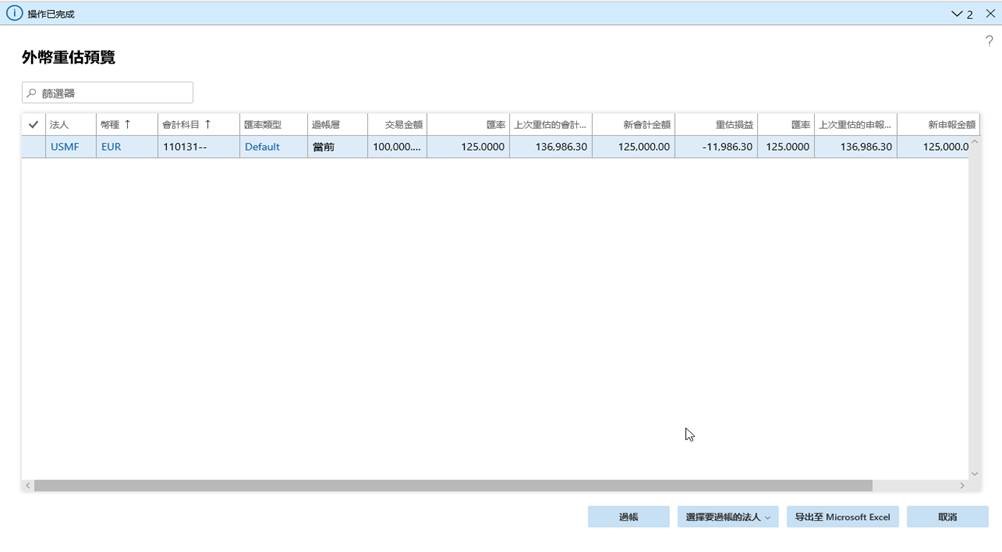
Foreign currency revaluation function
Allows you to select the transaction period and valuation date, choose the currencies to be revalued, and filter the asset accounts that require revaluation.
The system displays the Foreign Currency Revaluation Preview table, which displays information such as the original foreign currency transaction amount, exchange rate, and the original currency accounting amount before and after the revaluation, and calculates the revaluation profit and loss amount.
After the foreign currency revaluation result is previewed, if the amount of revaluation profit or loss is calculated correctly, you can post the automatic foreign currency revaluation evaluation entry to recognize the valuation profit or loss.
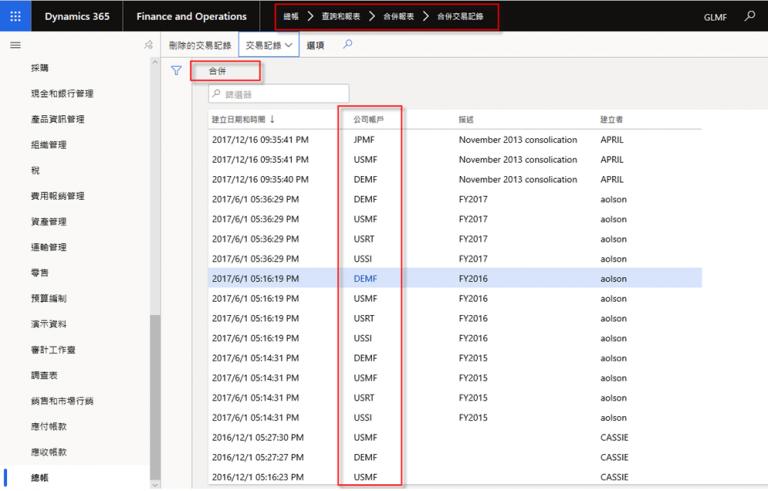
Consolidation of multiple companies
Aggregates transaction records from all group companies during consolidation.
Set up the accounts, exchange rates, and elimination rules for consolidation.
Generate consolidated financial statements
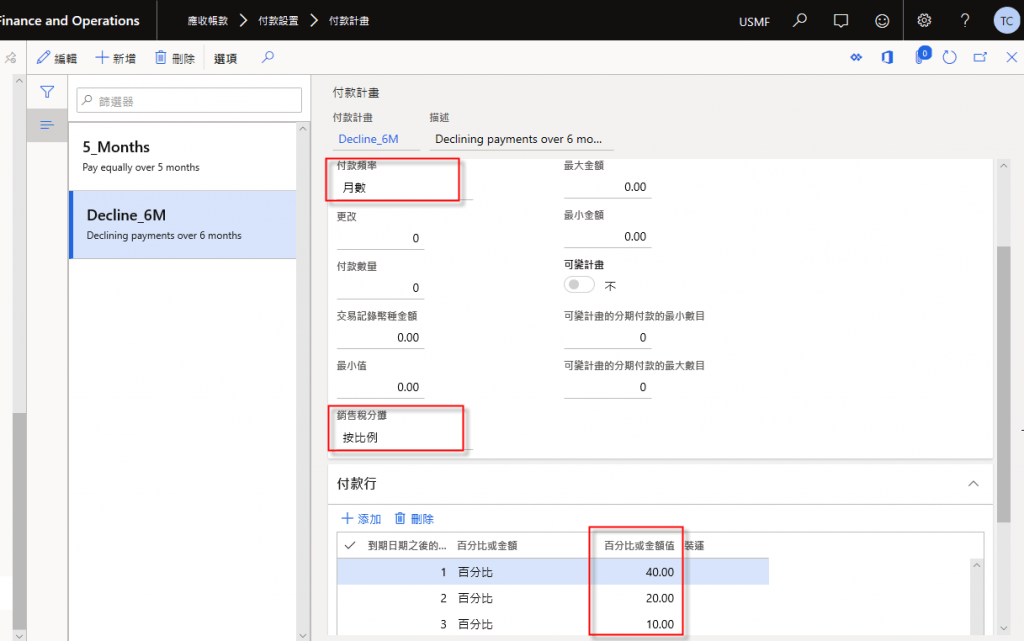
Installment payment plans
Provides payment plans that align with installment-based business terms.
Allows you to define the payment frequency and set the percentage for each installment.
Allows the payment schedule to be adjusted based on customer requirements.
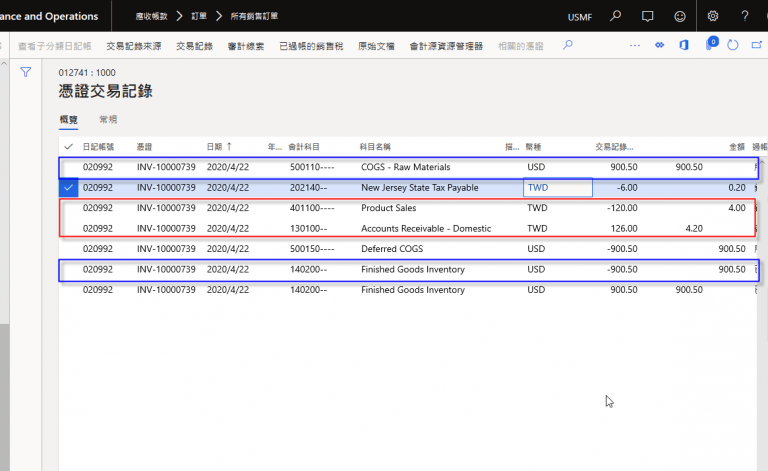
Complies with the matching principle of revenue and costs.
Sales invoices simultaneously recognize both sales revenue and cost of goods sold in the accounting entries.
Complies with the accounting matching principle for revenue and costs.
Displays both the transaction currency and the accounting amount information simultaneously.
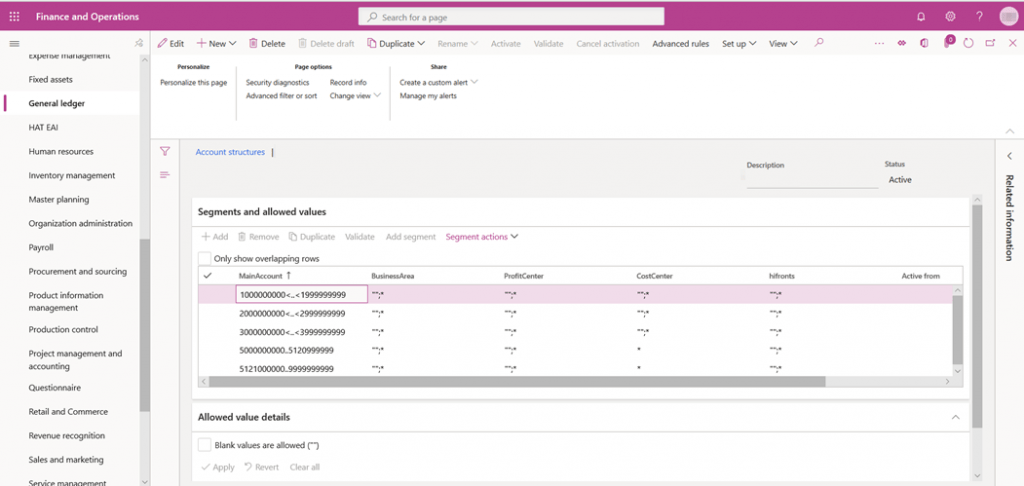
Flexible account structure that can be adjusted as needed.
Allows adding multiple dimension sets to serve as data sources for future management reporting and analysis.
Allows you to designate whether specific account segment dimensions are required fields.
Different companies can configure their own financial dimension structures.
According to the planned production mode, including stocking production, order-taking production, production according to configuration, production according to design…… Optimize the manufacturing parameters of each series of products to avoid the waste of production resources.
Using FO’s unique resource management and scheduling engine, you can view resource availability in real time to simplify scheduling.
Identify and resolve issues through real-time monitoring and intelligent forecasting to improve product quality and customer satisfaction.
Logistics, production and warehouse management seamlessly connect sales and purchasing, providing a 360-degree view of the supply chain.
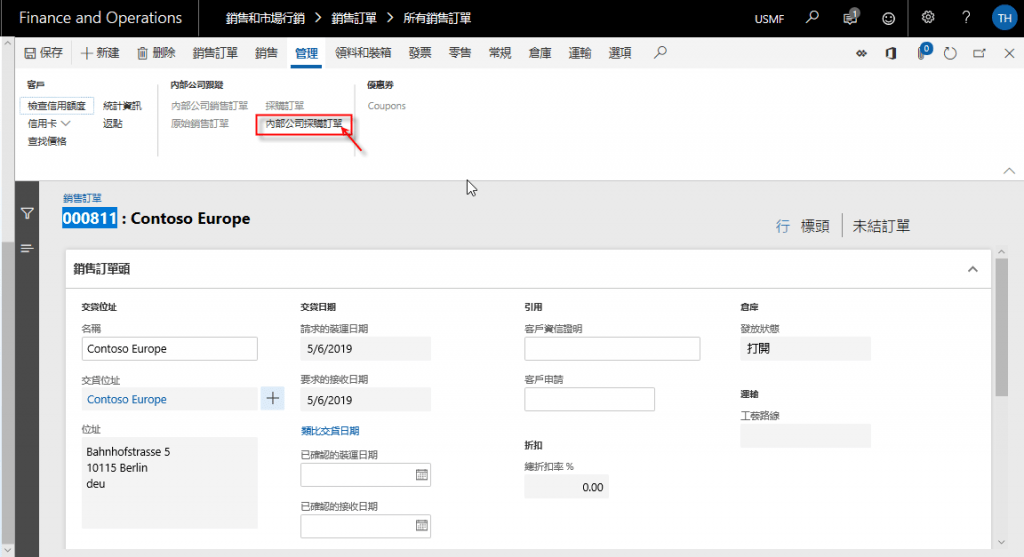
Intercompany Transactions
Allows you to configure intercompany purchase and sales relationships within the system.
Defines intercompany policies for purchase orders and sales orders.
Automatically generates intercompany purchase or sales orders within the group.
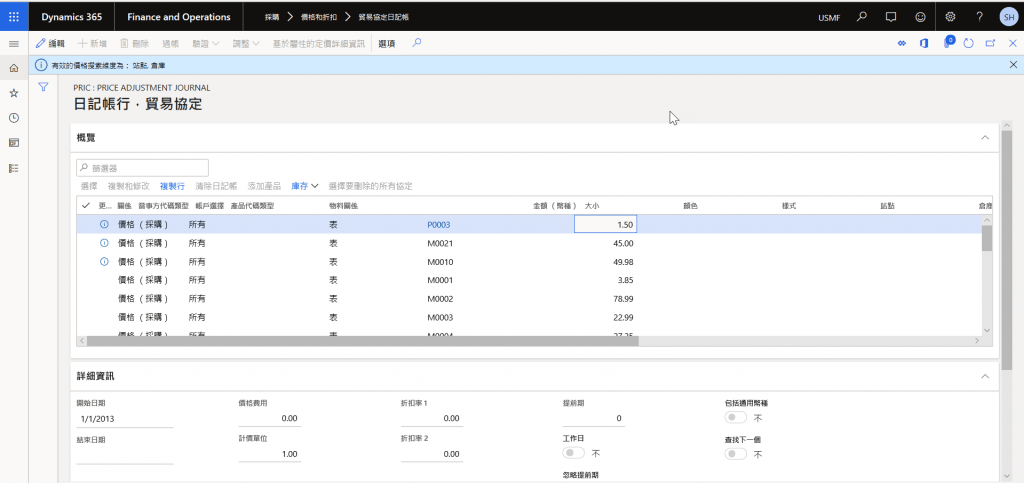
Price List
Different materials can have varying prices maintained for different suppliers or customers over specific periods.
Allows maintaining different sales or purchase prices based on variations of a material.
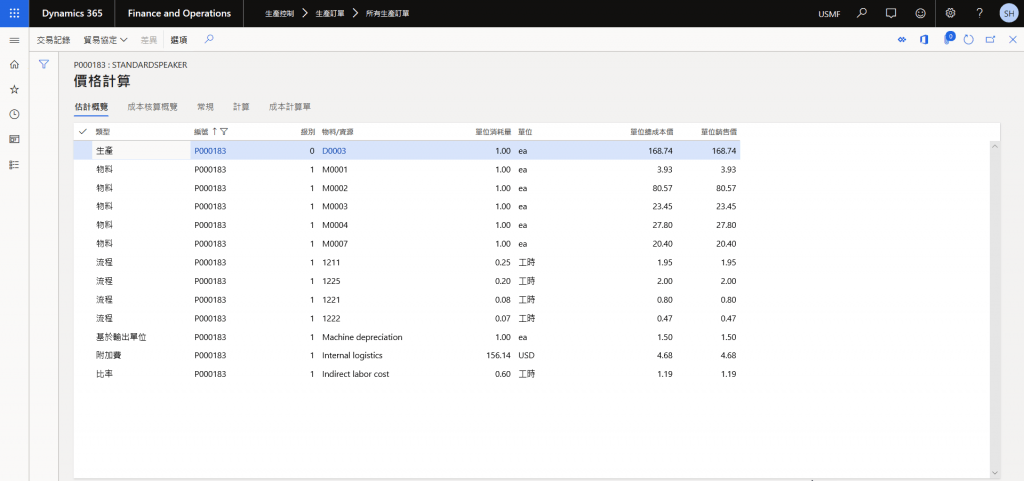
Price Calculation
Allows viewing the cost sources within a production order.
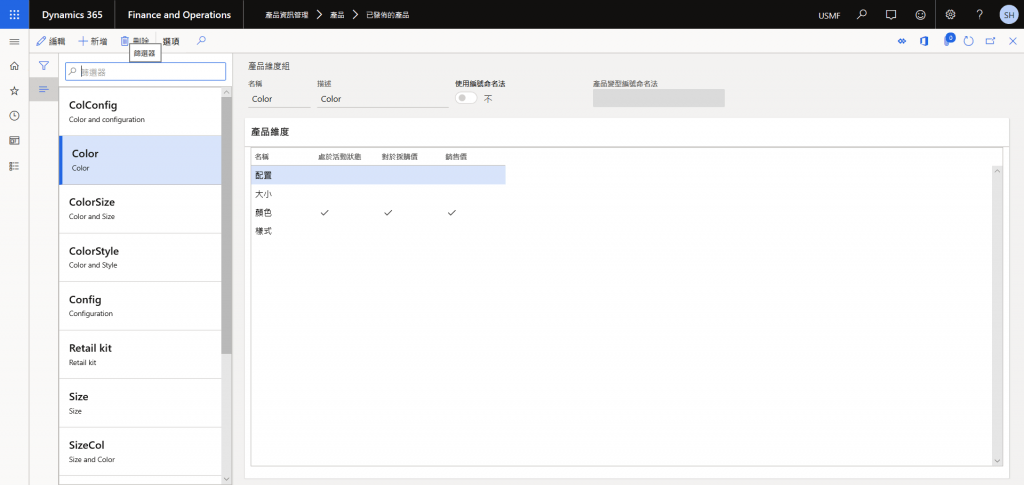
Item-Product Dimensions
Simplified Item Number
Allows maintaining different prices based on product variants.
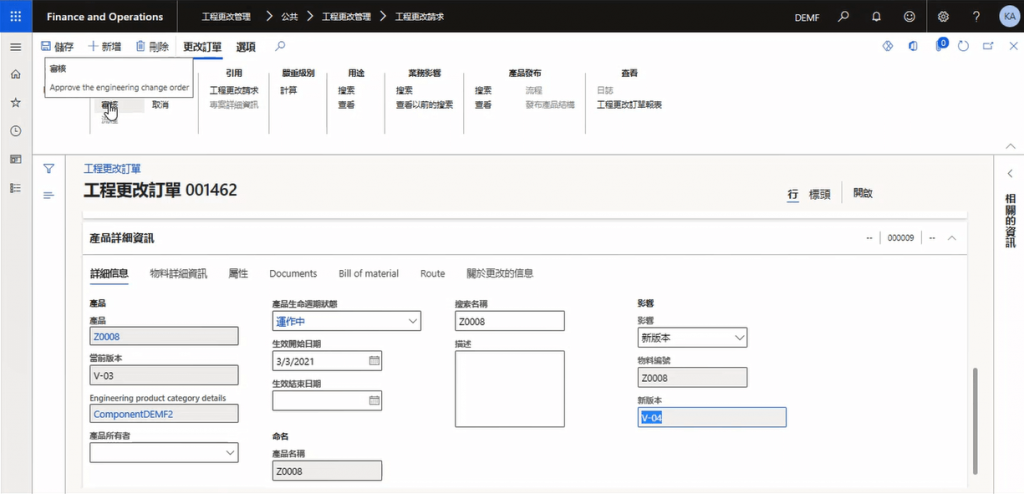
Engineering Change Management
Engineering change management processes can handle changes to items including BOMs and production routings (also known as operations or routing).
Allows notifying relevant departments and conducting approvals through workflows, and also provides version control for future tracking.
After-Sales Service
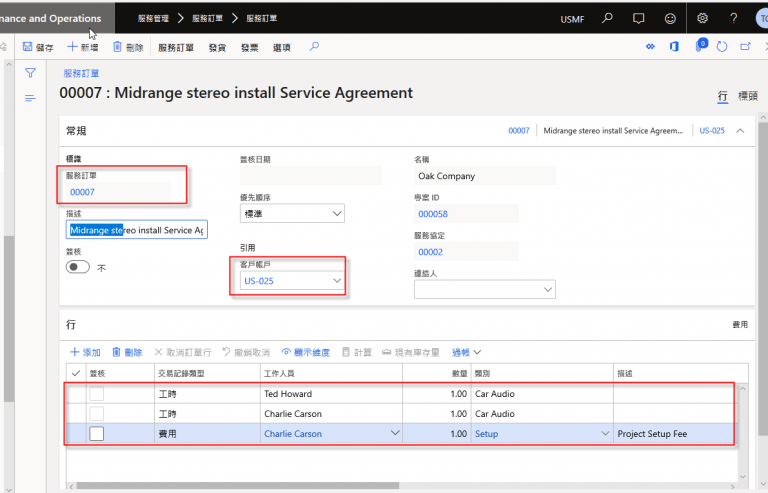
Allows creating customer after-sales service contracts.
Enables scheduling of service operations to accelerate workflow efficiency.
Handles customer repair processes through service orders.
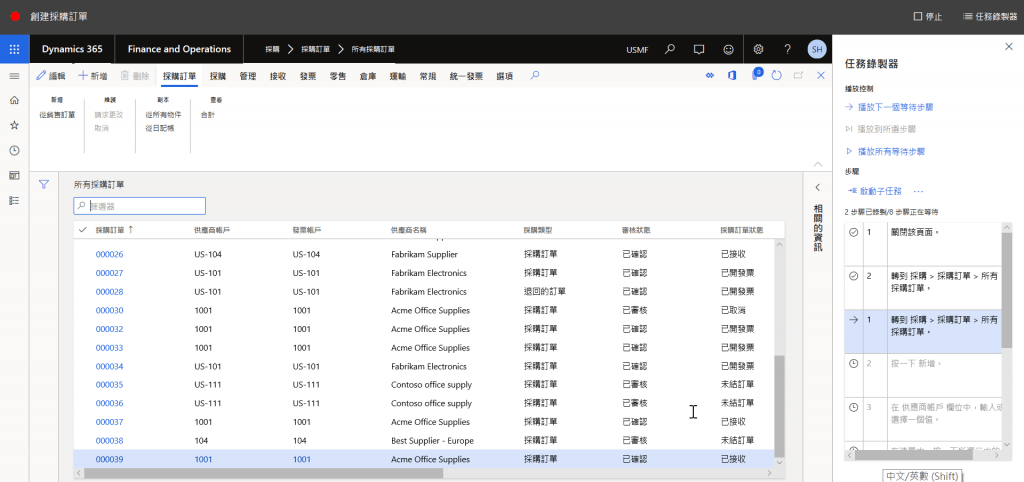
Task Recording
Allows recording operational steps for future review, so you won’t have to worry about forgetting even complex procedures.
You can also share the recorded operational steps with colleagues for internal training and knowledge sharing.
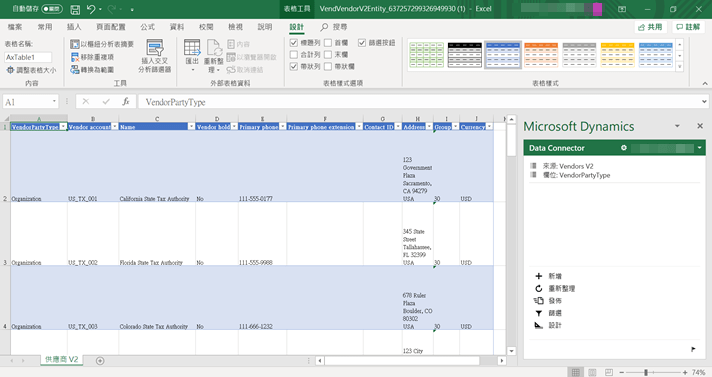
Excel Integration
Allows real-time editing or addition of system data using Excel.
System interface data can be displayed in real time within Excel.
我們使用 cookie 來了解您如何使用我們的網站並改善您的體驗,包括個性化內容。 如繼續使用我們的網站,即表示您接受我們使用 cookies。 詳細內容請參閱隱私權聲明。
We use cookies to enhance your experience. By continuing to browse the site you are agreeing to accept our use of cookies. Find more about our privacy policy.